Rimacos
Rules, not cells.
- Python
- IfcOpenShell / IfcClash
- IDS 1.0
- BCF
- Navisworks XML
- openpyxl
- pytest
A clash matrix is a big table that says which parts of a building should be checked against which, for example pipes against beams. On large projects it has thousands of cells that someone fills in by hand. Rimacos replaces the table with a few rules and produces the checks, reports and files that several programs need, including open formats any software can read.
The problem
A clash matrix grows with the square of the number of groups. At some point you're maintaining thousands of cells by hand, then turning them into thousands of clash tests. That doesn't scale.
What it does
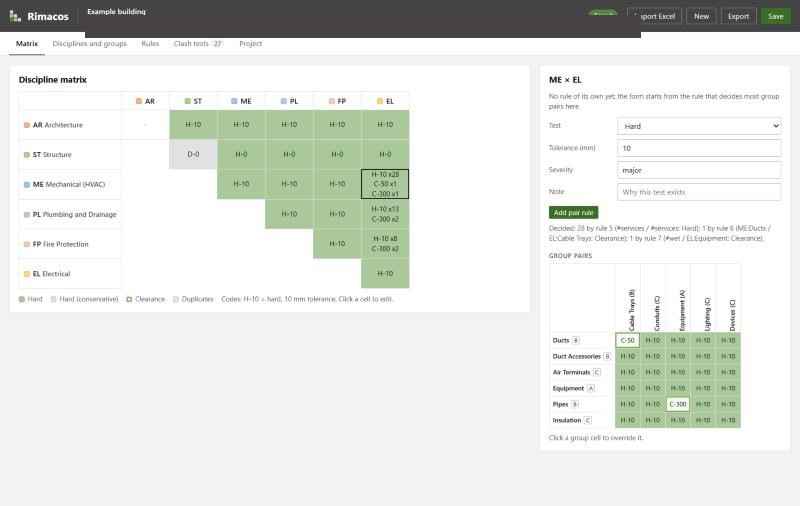
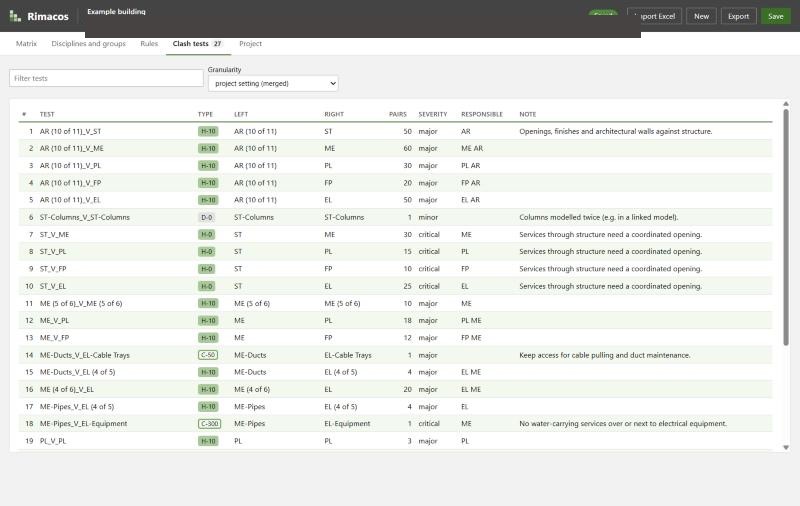
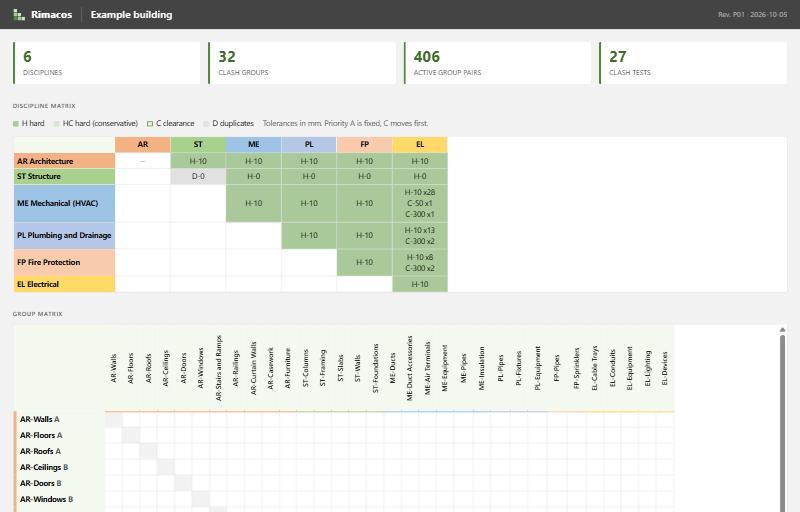
Rimacos (Rule-based Interference Matrices And Clash tests on Open Standards) turns a short list of rules into the whole matrix and the files to run it: search sets and clash tests for Navisworks, clash sets for the open-source IfcClash tool with BCF results, an IDS file that checks the models actually contain what the groups select on, and an Excel matrix and HTML report for the BIM execution plan.
A rule says how two sets of elements are tested against each other. Each side can be everything, a discipline, a tag or a single group, and the most specific rule wins. You edit the matrix, the groups and the rules in a small editor that runs in your browser.
Groups pick elements by IFC class and type, property filters and classification codes, and models are found by their ISO 19650 file names. That's what lets the same matrix run on free, open tools too.
Features
- Clash rules instead of matrix cells: a rule says how two sets of elements are tested, and the most specific rule wins
- Each side of a rule can be everything, a discipline, a tag or a single clash group
- Test types: hard clash, conservative hard clash, clearance, duplicate and none, each with a tolerance and a severity
- Group priorities decide which side is responsible for fixing each clash
- Navisworks output: search sets and Clash Detective tests as XML files, ready to import
- Open-source output: IfcClash sets that run on IFC models and report results as BCF
- An IDS 1.0 file (buildingSMART) that checks the models contain the classes, codes and properties the groups rely on
- An Excel matrix for the BIM execution plan, which can be edited and imported again
- HTML report and CSV list of tests, optionally with clash counts per test and discipline pair
- Groups select by IFC class and type, property filters, classification codes and Revit categories
- Models are found by their ISO 19650 file names
- Local browser editor for the matrix, groups, rules and tests; imports classic matrix workbooks
- Tests can be merged or kept one per pair of groups
Terms on this page
- BIM
- Building Information Modelling: designing a building as a shared 3D model that also holds data about every part, instead of separate drawings.
- Revit
- Autodesk's main software for designing buildings as BIM models. Most architects and engineers use it.
- Navisworks
- Autodesk software that combines the models of all disciplines into one and checks them for clashes.
- Clash
- A place where two parts of a building model collide, for example a pipe running through a beam.
- IFC
- An open file format for building models that any BIM software can read. It is maintained by buildingSMART.
- BCF
- An open format for passing model issues, such as clashes, between different BIM programs.
- IDS
- An open format that lists the information a model must contain, so that it can be checked automatically.
- ISO 19650
- The international standard for managing information on BIM projects, including how files are named.
See it
Screenshots & demos